Casio SE-S900 Dual Tape Thermal Cash Register Black – Complete Guide for Modern Retail Businesses
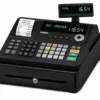
In today’s fast-paced retail environment, businesses need a reliable and efficient billing system to handle daily transactions smoothly. Whether you run a grocery shop, restaurant, pharmacy, boutique, or small retail store, having a dependable cash register can significantly improve accuracy and customer service. One such trusted solution is the Casio SE-S900 Dual Tape Thermal Cash Register Black, a powerful point-of-sale device designed to simplify billing and record keeping.
This advanced cash register from Casio combines durability, speed, and smart features to help businesses manage sales effectively. With its dual tape thermal printing system, large operator display, and easy-to-use interface, it is widely used in small and medium-sized businesses across the world.
In this blog, we will explore the features, benefits, specifications, pros and cons, and reasons why the Casio SE-S900 is an excellent choice for business owners.
Overview of Casio SE-S900 Dual Tape Thermal Cash Register
The Casio SE-S900 is a compact and user-friendly cash register designed for retail and hospitality businesses. It offers fast thermal printing, dual receipt functionality, and multiple department keys, making daily billing operations easier and more organized.
Unlike traditional manual registers, this device automatically records transactions and prints receipts instantly. The dual tape system ensures that one receipt goes to the customer while another remains stored for business records.
This makes accounting, inventory tracking, and sales analysis much easier.
Key Features of Casio SE-S900 Cash Register
1. Dual Tape Thermal Printer
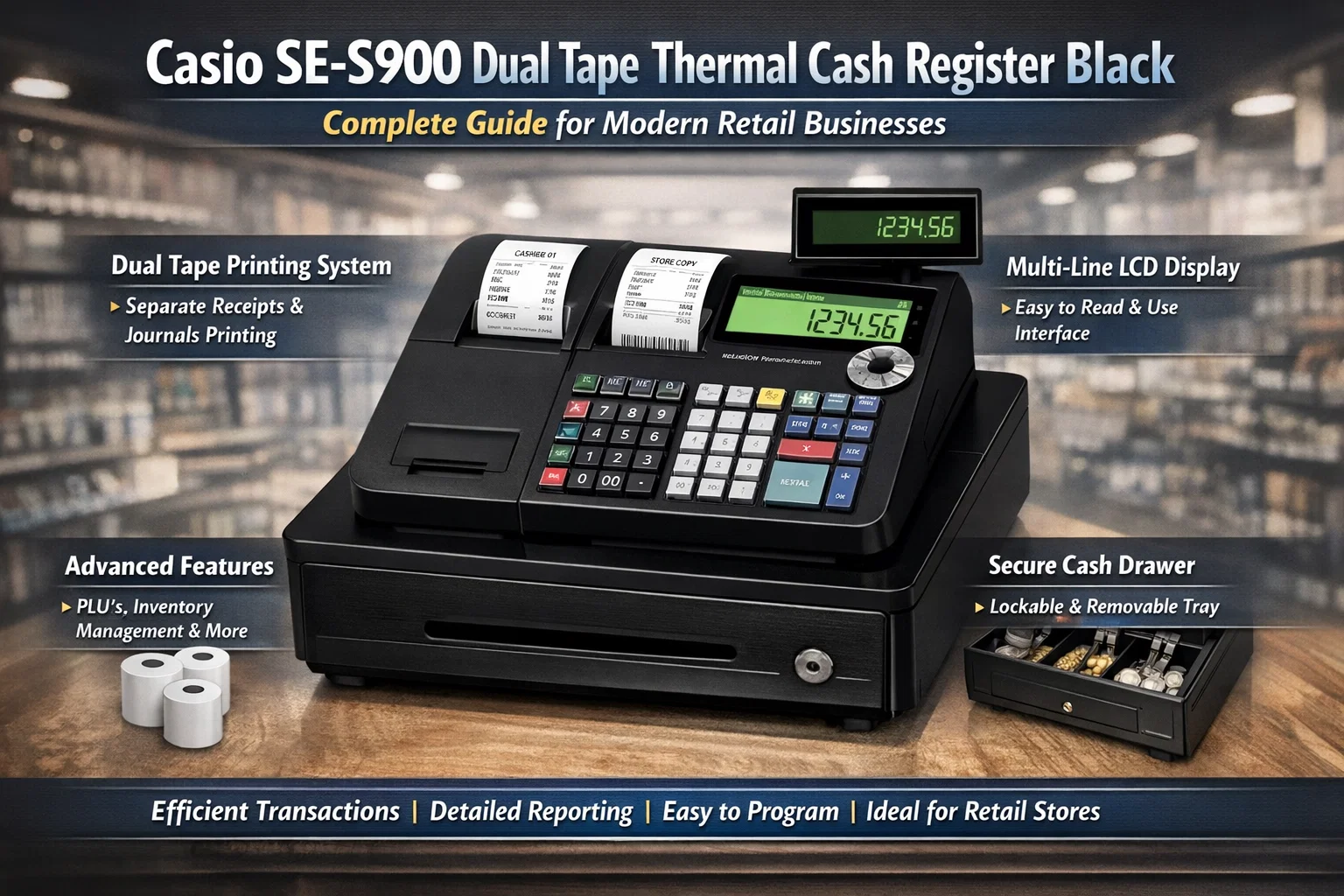
The standout feature of the SE-S900 is its dual tape thermal printer.
This means the register prints two copies of every transaction:
- Customer receipt
- Store journal copy
This helps businesses maintain accurate transaction records for accounting and auditing purposes.
2. Large Operator Display
The cash register includes a large, easy-to-read operator display, allowing the cashier to clearly see transaction details while billing customers.
Benefits include:
- Faster billing
- Reduced billing errors
- Better visibility in busy environments
3. Customer Display Screen
The register also includes a rear customer display so customers can view prices and totals while their items are scanned or entered.
This builds trust and transparency in transactions.
4. Multiple Department Keys
The Casio SE-S900 allows you to categorize products into different departments.
Example departments:
- Grocery
- Electronics
- Clothing
- Food & Beverages
- Pharmacy
This makes sales reports more organized and easier to analyze.
5. High-Speed Thermal Printing
Thermal printing technology eliminates the need for ink cartridges.
Advantages include:
- Faster printing
- Lower maintenance cost
- Clear and professional receipts
6. Large PLU (Price Look Up) Capacity
The register supports hundreds of PLU entries, allowing businesses to store multiple products with preset prices.
This enables:
- Quick product billing
- Accurate pricing
- Reduced manual entry
7. Secure Cash Drawer
The machine includes a secure lockable cash drawer that safely stores cash, coins, and receipts.
It helps prevent:
- Cash theft
- Billing discrepancies
- Unauthorized access
Technical Specifications
| Feature | Specification |
|---|---|
| Model | Casio SE-S900 |
| Brand | Casio |
| Printing Type | Thermal Printer |
| Tape System | Dual Tape |
| Display | Operator + Customer Display |
| Departments | Multiple Department Keys |
| PLU Capacity | Hundreds of items |
| Color | Black |
| Usage | Retail & Restaurant Billing |
| Connectivity | Basic POS integration |
Price Range of Casio SE-S900
The price of the Casio SE-S900 Dual Tape Thermal Cash Register Black varies depending on supplier and accessories.
| Seller Type | Approx Price |
|---|---|
| Online Retail Stores | ₹18,000 – ₹22,000 |
| POS Equipment Dealers | ₹20,000 – ₹25,000 |
| Bulk Business Purchase | ₹17,000 – ₹21,000 |
Prices may vary depending on warranty, installation support, and accessories.
Pros and Cons
Pros
| Advantages | Details |
|---|---|
| Reliable brand | Casio is globally trusted |
| Dual receipt printing | Better accounting records |
| Easy to use | Simple interface |
| Fast thermal printing | Quick customer billing |
| Durable design | Suitable for busy shops |
| Customer display | Transparent billing |
Cons
| Limitations | Details |
|---|---|
| Limited POS integration | Not as advanced as modern POS systems |
| Basic inventory tracking | Suitable mainly for small businesses |
| No cloud storage | Offline system |
Businesses That Should Use Casio SE-S900
This cash register is ideal for many types of businesses.
Retail Stores
Small shops and grocery stores benefit from quick billing and receipt printing.
Restaurants & Cafes
Food businesses can manage quick orders and maintain transaction records.
Pharmacies
Pharmacy stores need accurate billing and documentation for medical purchases.
Boutiques & Clothing Stores
Retail clothing shops can organize items into departments for easy sales tracking.
Why Businesses Choose Casio Cash Registers
Casio has been manufacturing reliable electronic equipment for decades. Businesses prefer Casio registers because they offer:
- Long-lasting hardware
- Easy operation
- Affordable pricing
- Strong after-sales support
- Trusted global brand reputation
For small businesses that do not require complex POS systems, Casio registers provide a perfect balance of simplicity and performance.
Setup and Installation
Setting up the Casio SE-S900 is simple and quick.
Basic setup steps:
- Install thermal paper rolls
- Configure departments
- Enter product prices
- Set tax and billing options
- Test receipt printing
Most vendors provide installation support and user training during purchase.
Maintenance Tips
To ensure the cash register works smoothly for years, follow these maintenance tips:
- Clean the printer area regularly
- Use good quality thermal paper
- Avoid dust and moisture
- Check cash drawer locks periodically
- Backup transaction reports daily
Proper maintenance improves performance and extends the lifespan of the device.
Casio SE-S900 vs Traditional Cash Registers
| Feature | Traditional Register | Casio SE-S900 |
|---|---|---|
| Printing | Manual or slow | Fast thermal |
| Record Keeping | Manual | Automatic |
| Customer Display | No | Yes |
| Reporting | Difficult | Easy |
| Billing Speed | Slow | Fast |
Clearly, the Casio SE-S900 offers significant improvements in efficiency and professionalism.
FAQs
1. What is the Casio SE-S900 used for?
The Casio SE-S900 is used for billing, receipt printing, and recording transactions in retail shops, restaurants, and small businesses.
2. Does the Casio SE-S900 require ink?
No, it uses thermal printing technology, which does not require ink cartridges.
3. Can it store product prices?
Yes, it supports PLU entries, allowing you to store product names and prices.
4. Does it print two receipts?
Yes, the dual tape system prints two copies – one for the customer and one for store records.
5. Is the Casio SE-S900 suitable for supermarkets?
It is suitable for small supermarkets and retail stores, but large supermarkets may prefer advanced POS systems.
Conclusion
The Casio SE-S900 Dual Tape Thermal Cash Register Black is an excellent billing solution for small and medium-sized businesses. With its dual tape printing, fast thermal technology, easy operation, and reliable performance, it helps businesses manage transactions efficiently.
If you are looking for a durable, cost-effective, and easy-to-use cash register, the Casio SE-S900 is a great investment for your business.
It improves billing speed, customer trust, and transaction accuracy, making it a valuable tool for modern retail operations.